Edit company
Note
To add, change, or delete a company, you need SOC - administration rights.
Proceed as follows to change a company:
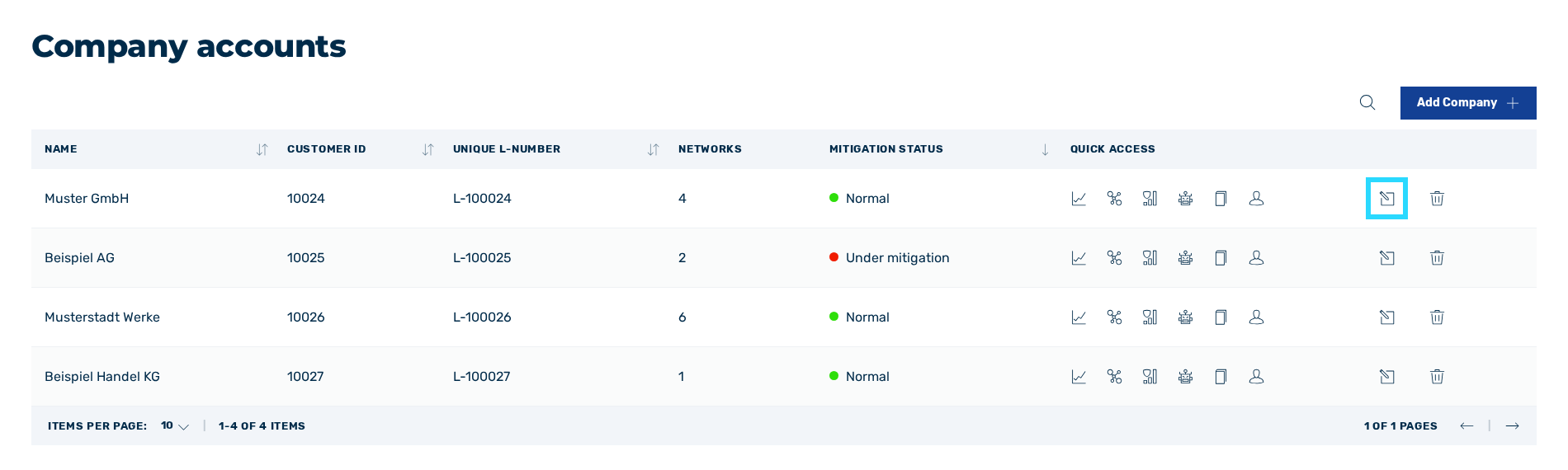
Button to edit a company
- ► Click on the
 icon.
icon. - ↳ The Edit company dialog opens.
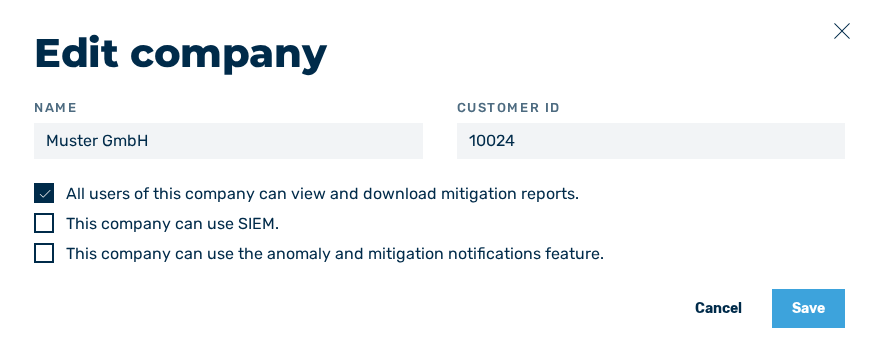
Edit company dialog
- ► Enter the new name of the company in the field under Name.
- ► Enter the new ID of the company in the field under Customer ID.
-
► If necessary, enable or disable the checkbox under All users of this company can view and download mitigation reports..
Note
If the checkbox under All users of this company can view and download mitigation reports. is disabled, the users of the company can no longer view and download mitigation reports. This option cannot be enabled for individual users.
-
► If necessary, enable or disable the checkbox under This company can use SIEM..
Note
SIEM (Security Information and Event Management) is a security solution that helps companies detect and respond to security threats. It collects, analyses, and correlates data from various sources to identify anomalies and potential security incidents. SIEM systems enable centralised monitoring and response to threats and help companies comply with compliance regulations.
Note
The audit logs for SIEM integration are provided via a Splunk interface in JSON format and contain the following information:
- Start and stop events for mitigations
- Destination IP
- Measured packet rate (in PPS)
- Measured data rate (in bits/s)
- Configured thresholds for the IP address range
- User permissions (users and administrators)
- Mitigation reports
-
► If necessary, enable or disable the checkbox under This company can use the anomaly feature..
Note
If the checkbox under This company can use the anomaly feature. is enabled, the Anomaly history view is available to the users of the company and Myra also alerts them about traffic anomalies in addition to mitigations.
-
► Click on the Save button.
- ➔ A message confirms that the company has been successfully changed.
The changes are then also visible in the table in the Company accounts view.